Deep Linguistic Audit
Kashif performs an advanced analysis across 6 critical dimensions to ensure maximum quality and accuracy:
Authentication System
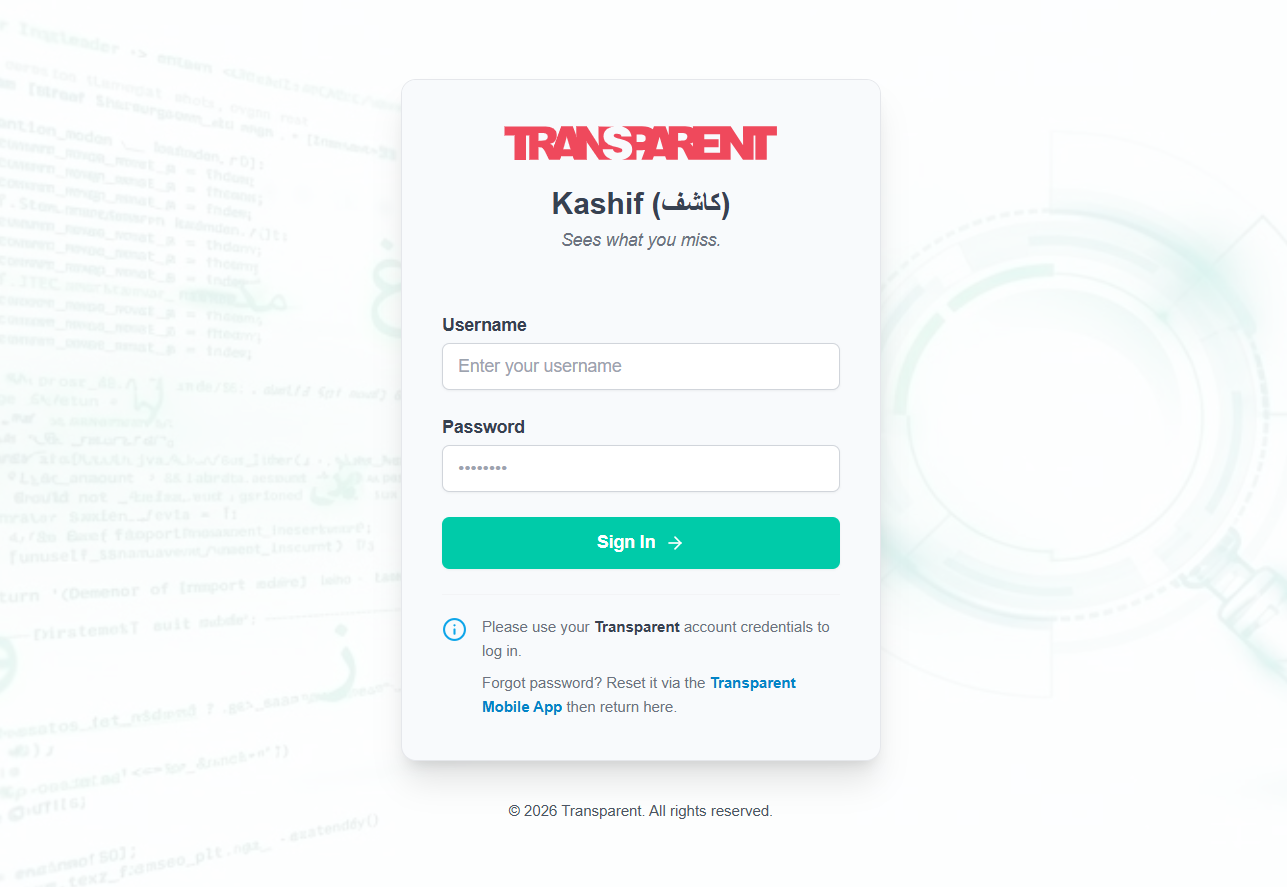
Unified Login
Use standard Transparent credentials.
Secure Reset
Via Transparent Mobile App.
Task Selection
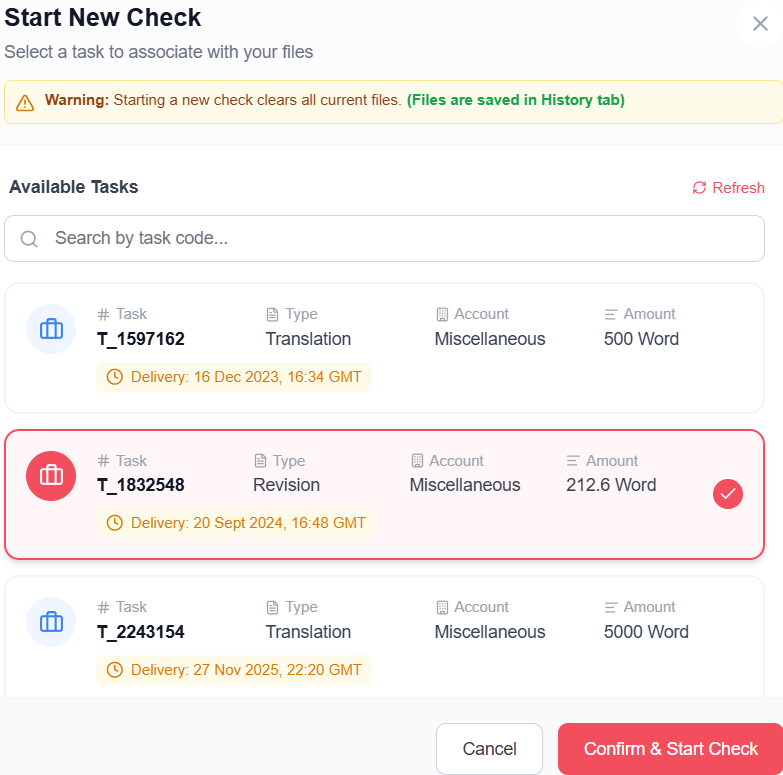
Kashif links uploads to specific tasks for organized analysis and budget tracking.
1. Initiate Check
ActionClick the "New Check" button to open the Task Selector.
2. Select Task
ActionSearch and select your assigned task from the list. This links stats and budget to the correct project.
Custom Instructions
Need to deviate from standard rules? Add specific instructions for this task.
Override Authority
OptionalAdd natural language rules (e.g., "Ignore spacing errors" or "Allow colloquial terms").

Smart Upload & Analysis
Automatic file intelligence providing instant feedback and cost estimation.
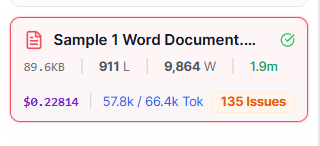
Auto-Analysis & Live Metrics
Instantly calculates Lines, Words, and Processing Cost.
- Lines & Words Count
- Input/Output Tokens
- Estimated Cost ($) & Time
Scope Guardrails
Safety checks to prevent accidental over-processing and budget overruns.
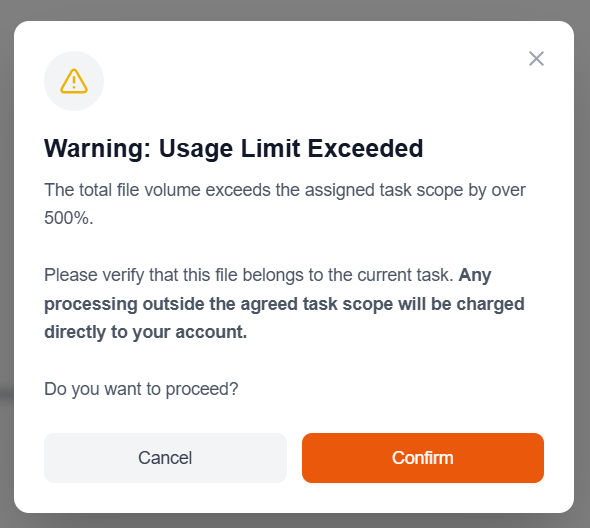
5x Warning Alert
The system automatically alerts you if the uploaded file volume exceeds 500% of the assigned Task Amount.
This confirms intent before processing large, potentially out-of-scope files.
The Dashboard Interface
A unified view designed for efficiency.
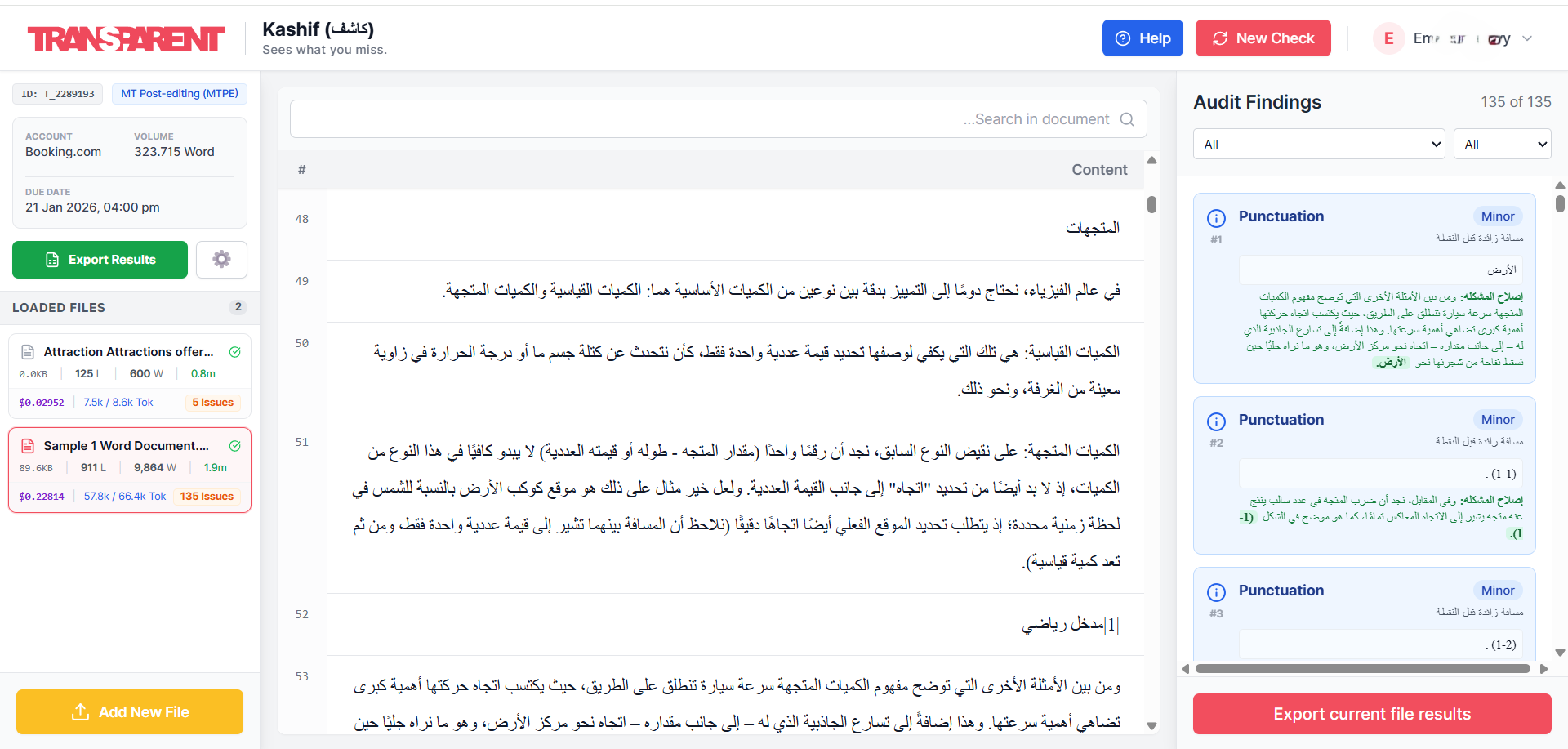
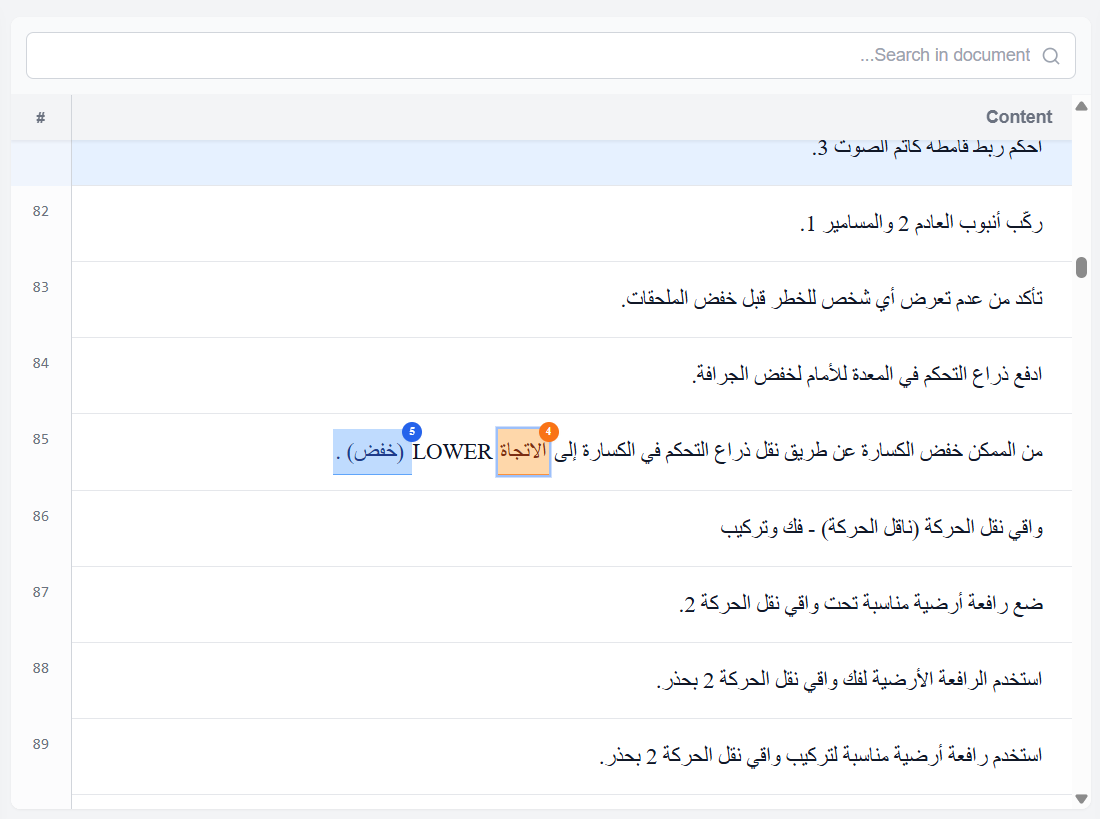
Center Panel: The Preview
A clear, grid-based view designed for translators to review their work before delivery.
-
Extracted Text View
Clean extraction of text lines from the uploaded file.
-
Text Search
Integrated search bar to locate specific terms.
-
Interactive Highlights
Every issue is highlighted with its ID number. Hovering reveals a Tooltip with the issue summary.
Right Panel: The Audit
The detailed control center for managing findings.
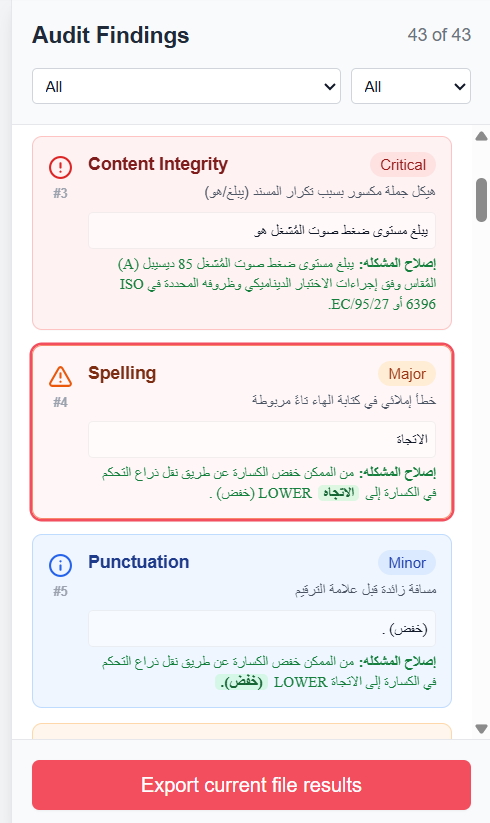
Comprehensive Details
Each card displays:
- Category & Severity
- Wrong Text vs Correct Text
- Detailed Description/Reasoning
Bi-Directional Navigation
Clicking an issue card auto-scrolls the Center Panel to the exact location of the error, and vice versa.
Single File Export
Dedicated button to export results only for the current file being viewed.
Flexible Exports
Data when and how you need it.
1. Single File Export
From Right PanelExport specific issues for just the active document.
2. Full Task Export
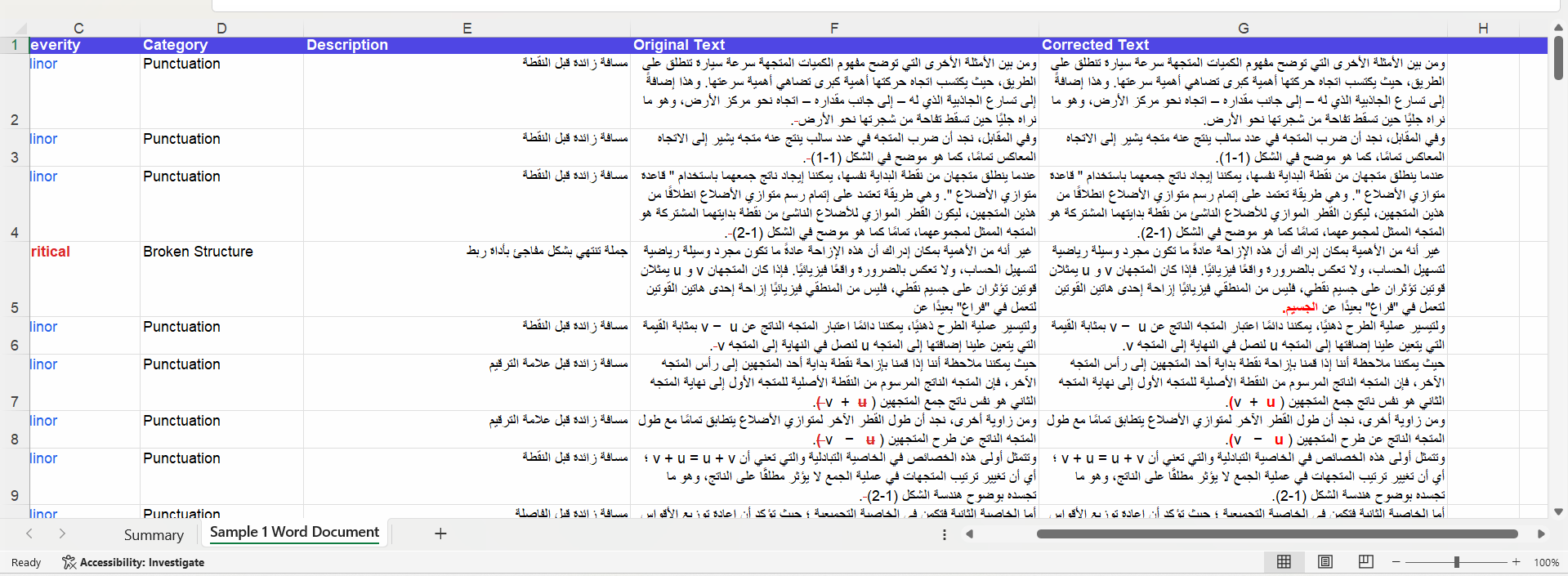
From Task WidgetA comprehensive workbook containing all files in the task and a summary sheet.
Smart Formatting
- The error in source text is highlighted in Red Strikethrough.
- The corrected text segment is highlighted in Bold Red.
This ensures changes are impossible to miss during final implementation.
History & Security
User Isolation
Strict Privacy: You only see your own tasks. Even admins cannot view your specific session content without authorization.
Session Cleanup
Zero Footprint: All sensitive session data is securely cleared from the browser cache the moment you log out.
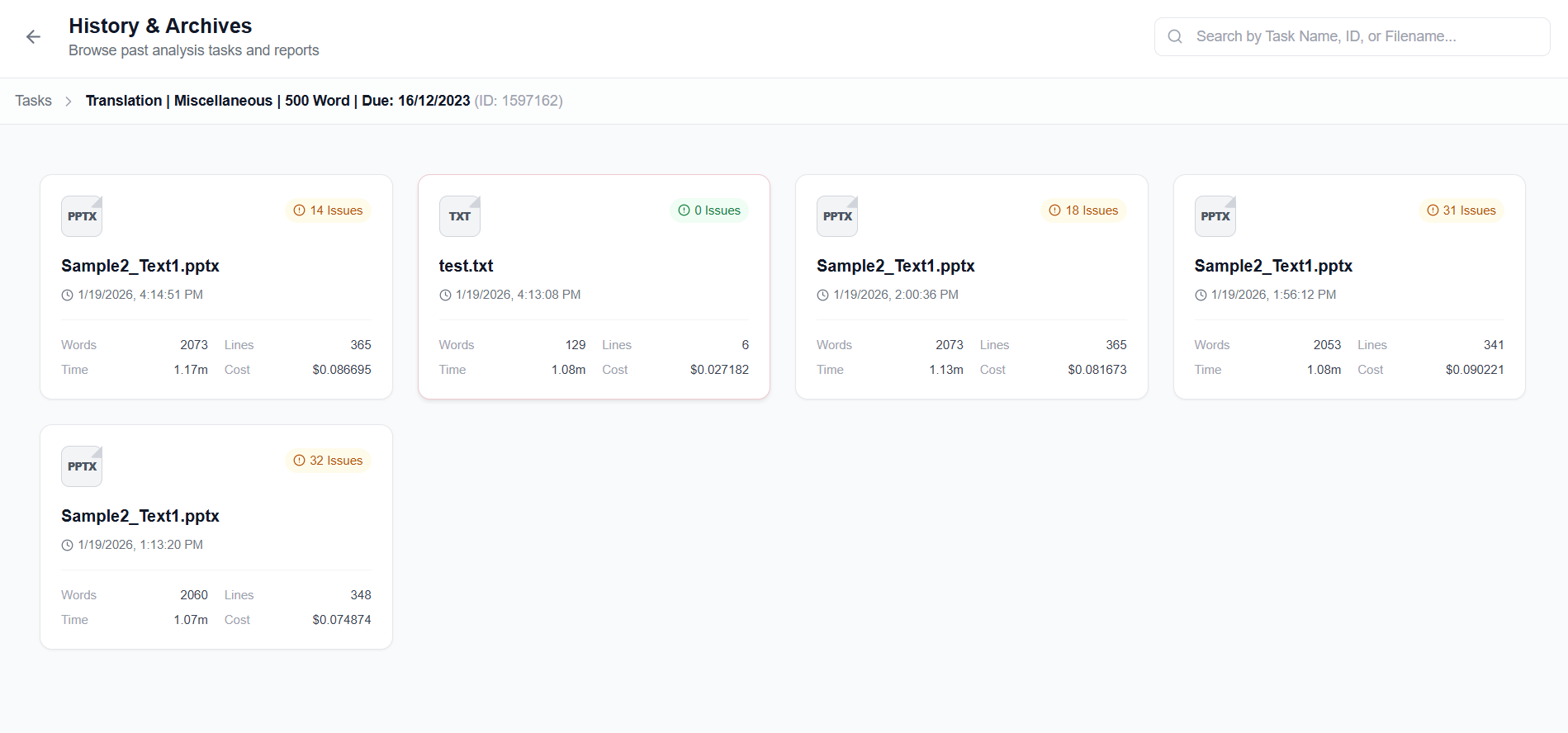
Searchable Archives
Access your full history via the User Menu. Drill down from Task Level -> File Level -> Issue Level.